For the guest
Wine lists
- By the Glass, Full List, or both as a Linked Pair.
- Typed on the sheet, set in twenty-three house styles.
- Flights, 86'd wines and page breaks, handled.
- Printed, saved as a PDF, or exported for your website.
All in One Solution for Inventory and Wine Lists
With a wine library curated by a certified sommelier.
Write the list on the page, keep the cellar counted beside it, and print exactly what you see. One tool for the sommelier, the wine director and the restaurant, with no bloat: it opens in under a second and answers as you type.
Free during the invite-only beta. Runs in the browser on a computer or a phone; nothing to install.
No bloat
TableSet is written in plain code, with no framework and nothing it does not need. It opens fast, answers on every keystroke and stays out of the way between tables.
About 0.8 seconds on a first visit and 0.6 on a return, the whole Wine Library included.
Across all 33,793 wines, on every keystroke, with no spinner and no wait.
The app and the library together on a first visit; a return visit fetches about 0.1 MB.
It runs in the browser on a computer or a phone. No app store, no plug‑ins, no updates to wait on.
Measured on tableset.wine in October 2026 on a fast connection; a slow one takes longer on the first visit.
The full stack
Most programs keep the list in a design file and the count in a spreadsheet, and the two drift apart by Friday. In TableSet they are one record, so what the cellar holds and what the guest reads stay in step.
For the guest
For the cellar
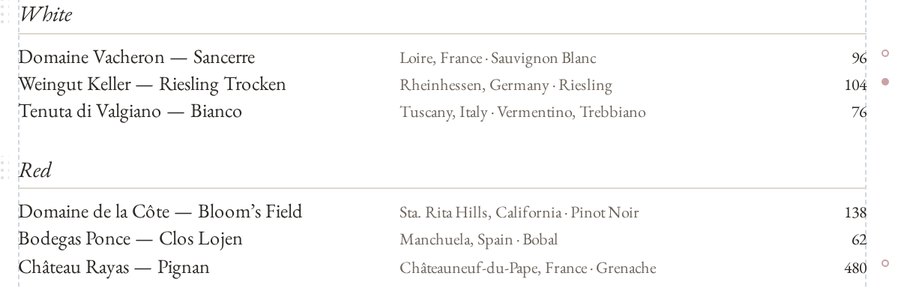
Marks sit in the margin of the editor and a line in the status bar sums them up. They never print: a count is a working number, so taking a wine off the list stays your decision, unless you ask Inventory to 86 a wine when its count reaches zero.
The whole bar
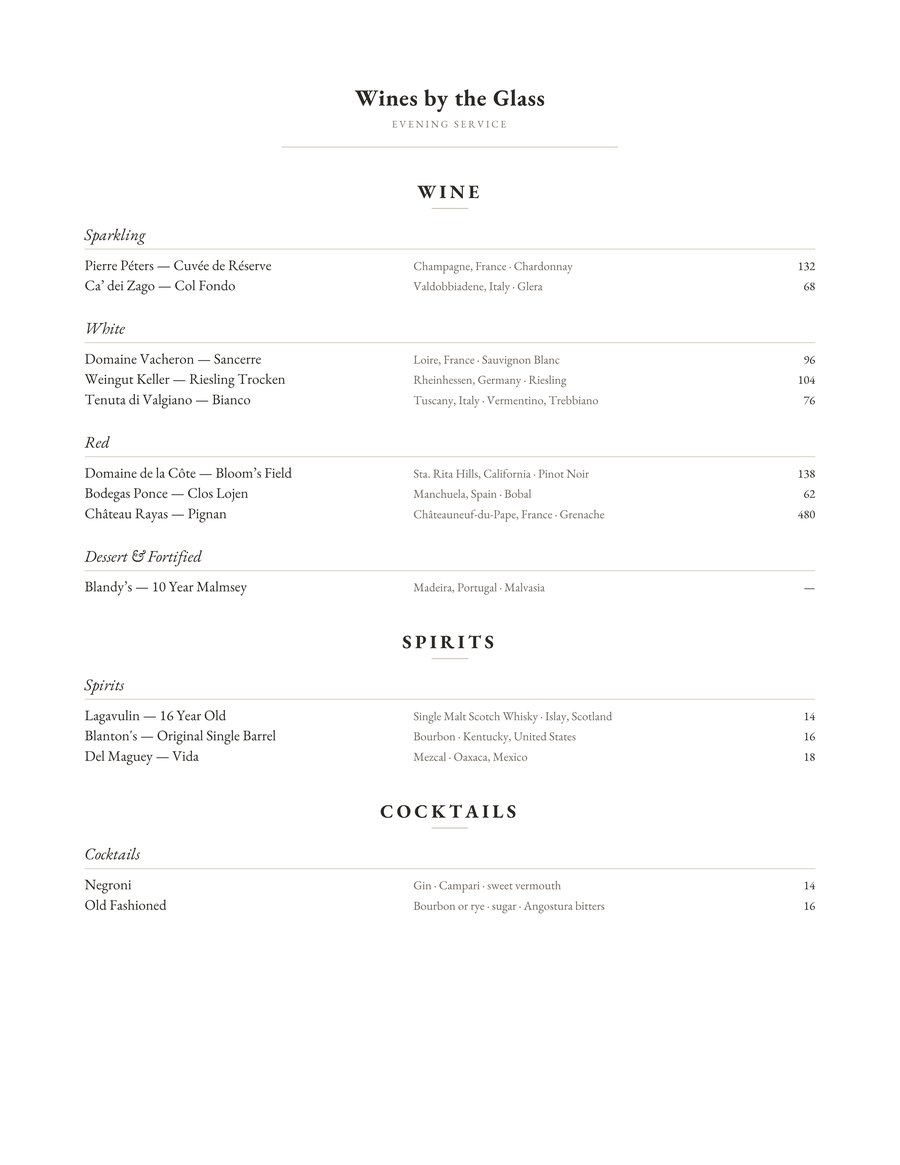
Spirits, cocktails, beer, sake and non-alcoholic drinks are sections like any other, each with its own columns: pours for a spirit, the build for a cocktail. Chapter headings divide the book.
Inventory
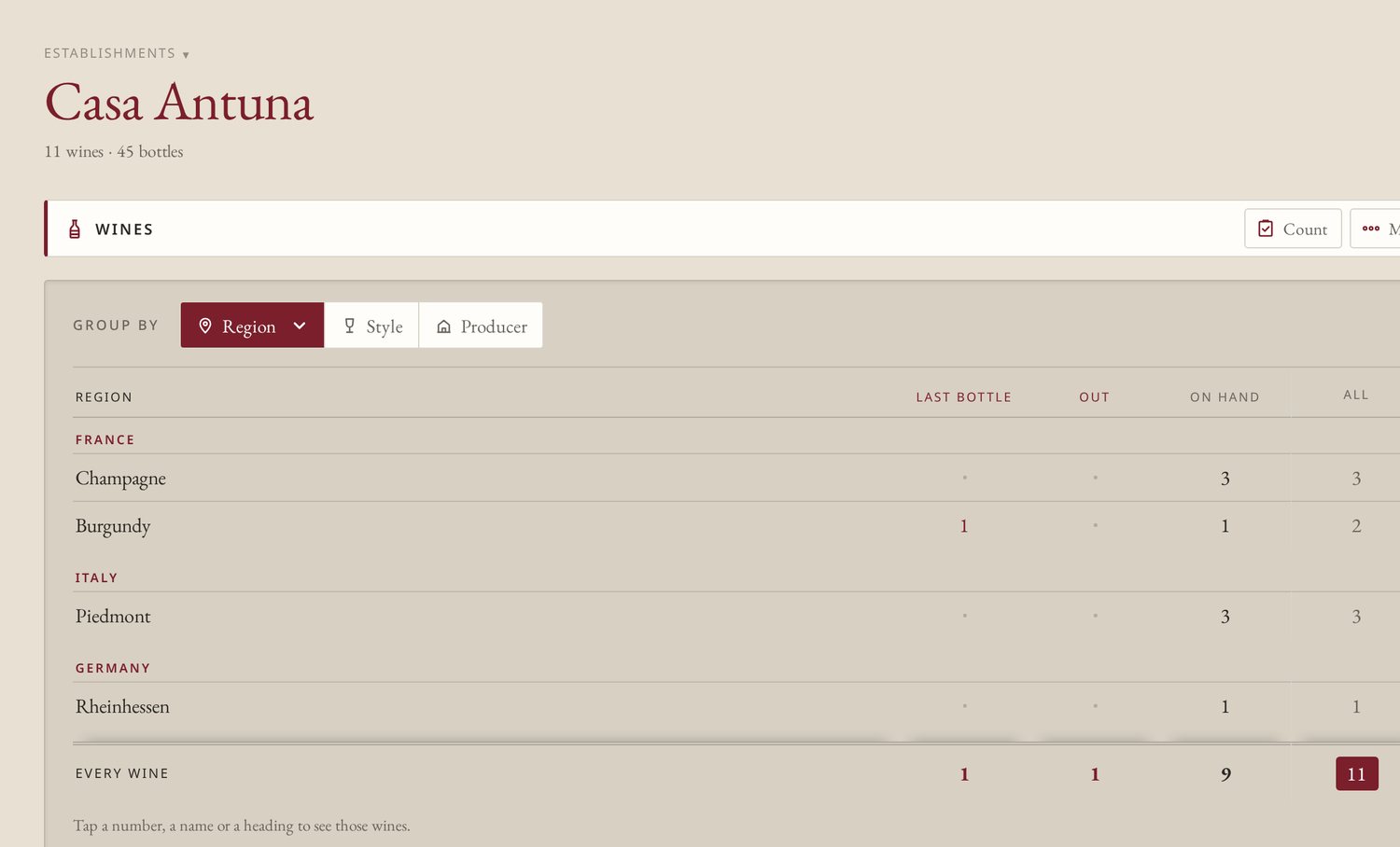
Paper and spreadsheets count once a week, so they need summaries, shelves and dates for everything in between. A live count does not. Each establishment is one list: the wine, its number, and minus and plus.
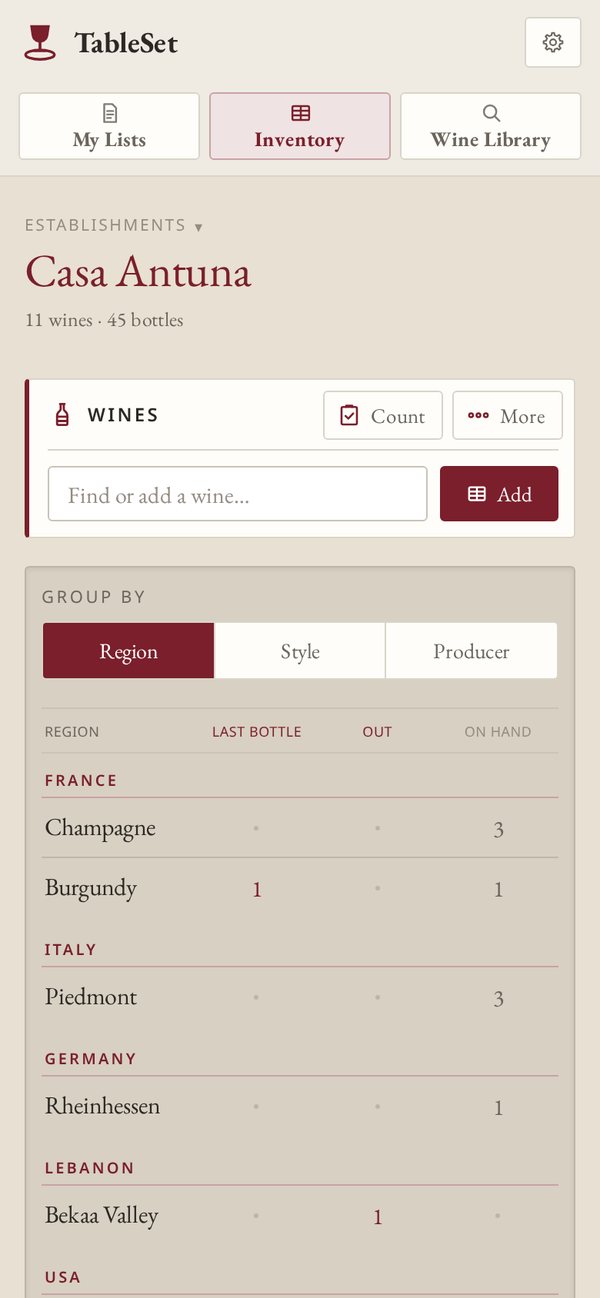
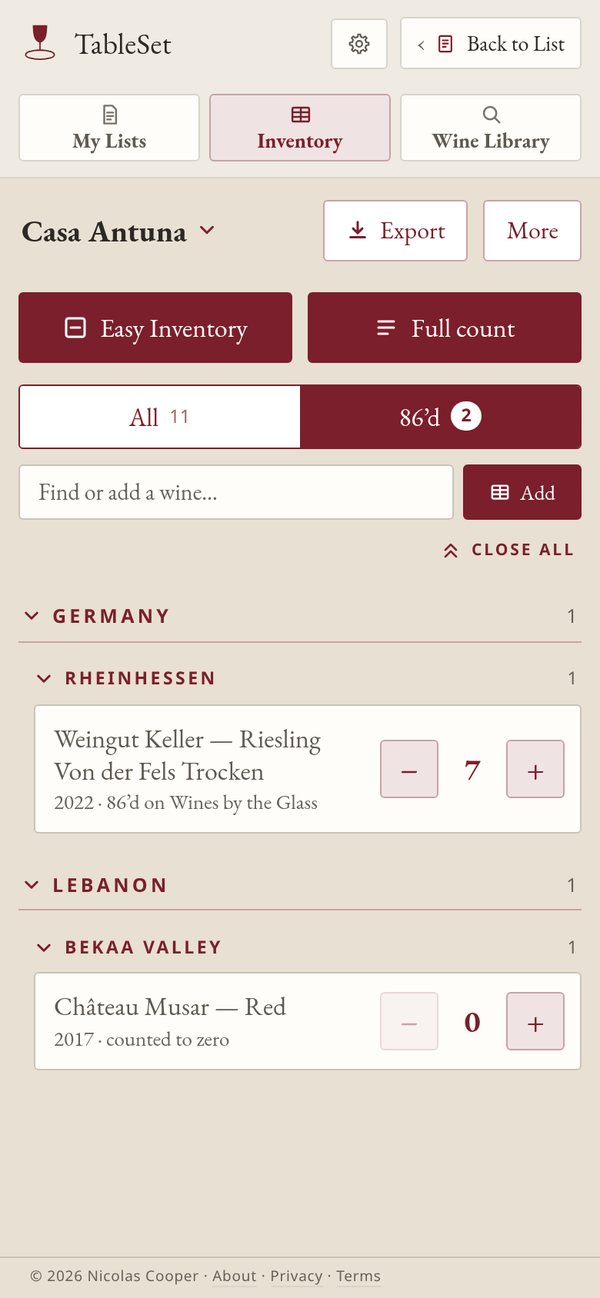
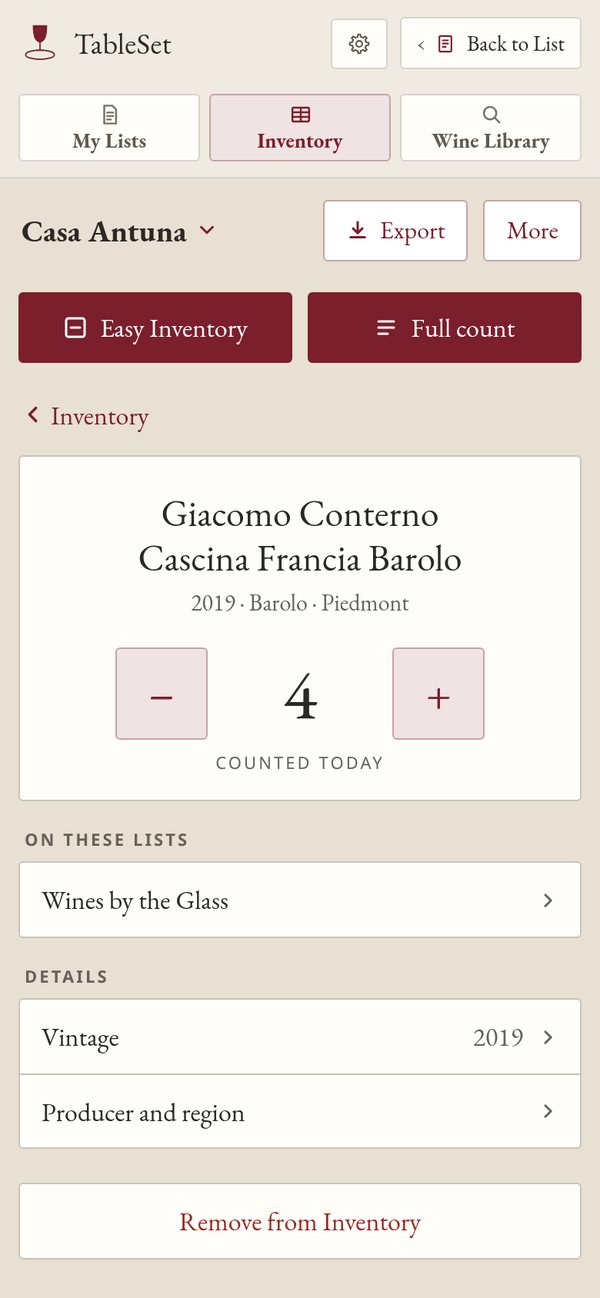
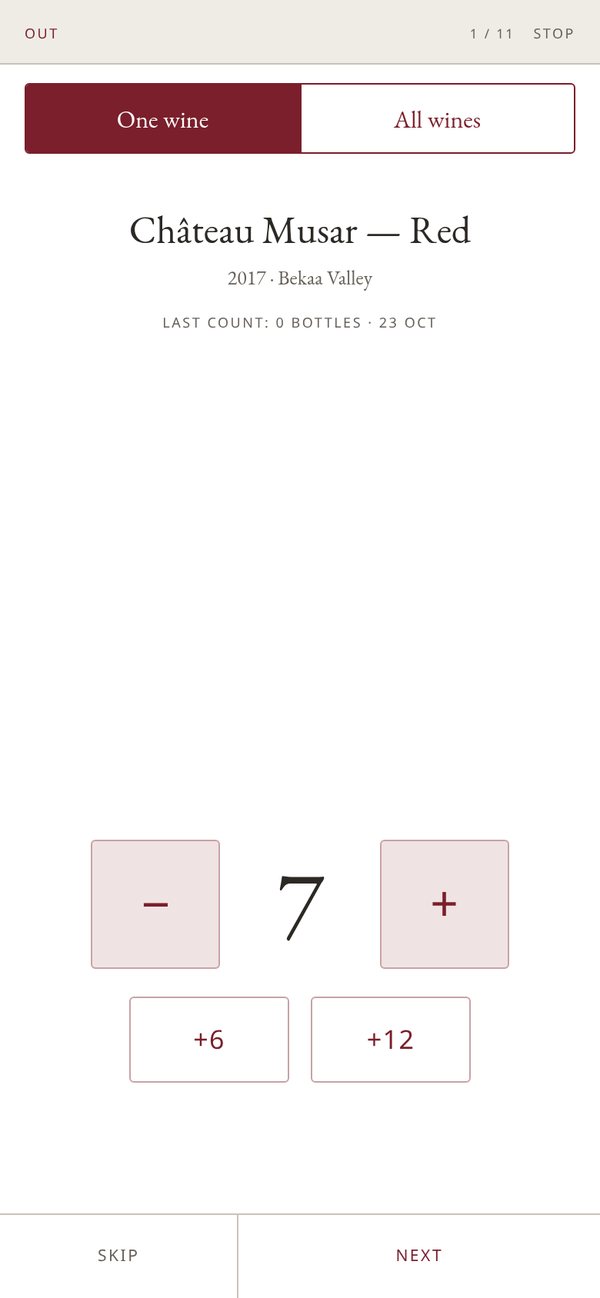
Tap minus or plus, or type the number. Every change saves at once and carries its date.
One tap shows every wine that is out. A badge says how many; plus counts a delivery straight back in.
Easy Inventory opens a full-screen count with large minus and plus, sized for a thumb. Full count goes through every wine, one at a time, and carries on where it stopped.
By region, the wines sit under country, region, subregion and appellation, each with its own caret: France, then Burgundy, then Côte de Nuits. Or list them by producer from A to Z, set once in More.
Keep the 2016 and the 2019 apart, each with its own count, prices and lists. A wine stays one entry until you separate a vintage.
Turn it on and a wine counted to zero is 86'd on that establishment's lists, then brought back when it is counted in again. Off unless you choose it.
Start from the sheet you already keep. TableSet reads a .csv or .xlsx file, matches each wine to the Wine Library and shows every row before it adds a bottle.
Owners and editors can note what a bottle cost and print the cellar's value at cost and at list price, by region. Counters never see cost, and no list prints it.
Download every wine with its count, the day it was counted, its lists, prices and markup, as an Excel or CSV file; or print a ruled count sheet for a pen.
The Wine Library
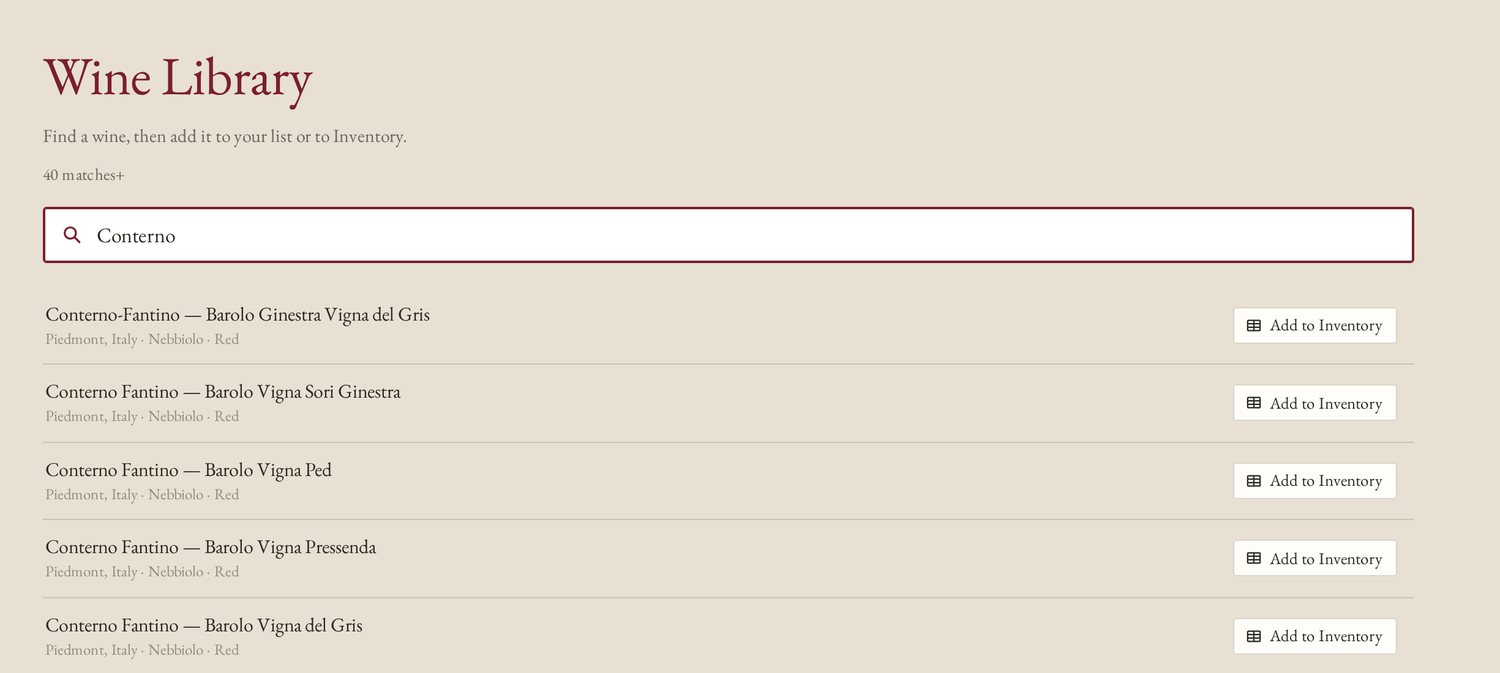
More than 33,000 wines, chosen by someone who has stood at the table with them. It leans toward the producers collectors and sommeliers look for, from grower Champagne to Barolo, Burgundy, the Rhône and the American West.
From the library
A few of the 4,819 producers
On the device
The whole library ships inside TableSet. Search answers as you type, with nothing sent to a server and nothing waiting on a connection.
Tagged by appellation
Place a wine and its appellation, region, grape and style go into its metadata on their own: ready in the Info drawer for instant reference, and used by Inventory to file the bottle. 1,300 appellations, from the crus of Barolo to Horse Heaven Hills.
On the floor
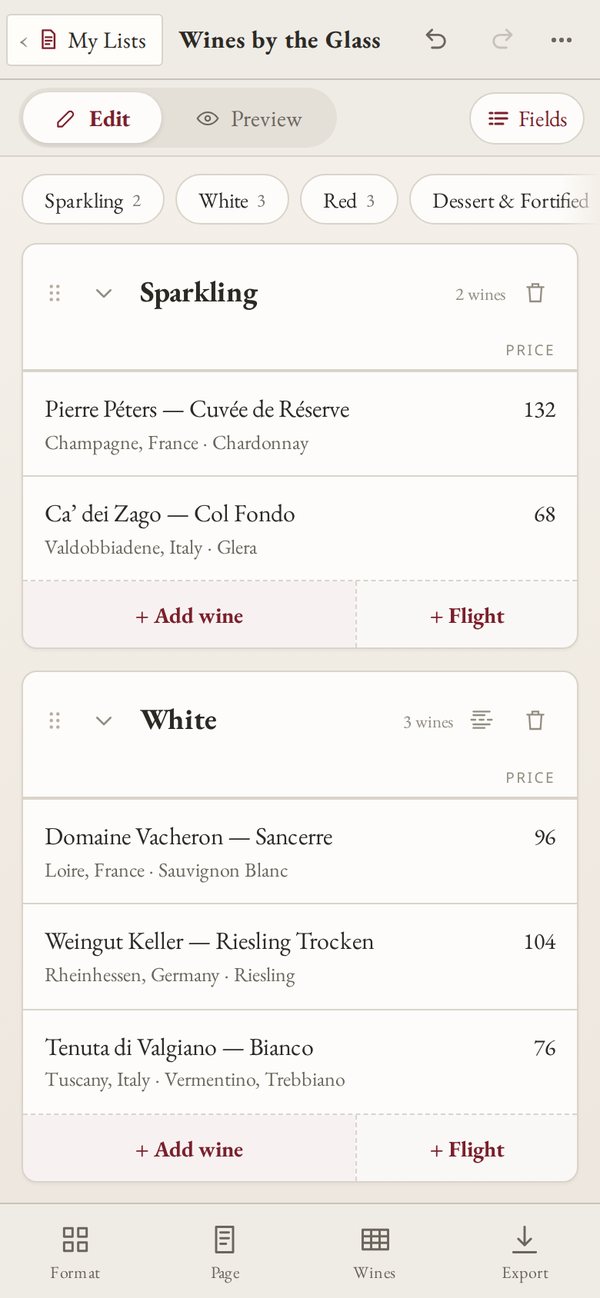
On a phone, sections become cards you can fold, reorder and edit, and Inventory counts with your thumb. The full page is laid out underneath for printing.
With a beta account, lists and Inventory sync across your devices, and a change made elsewhere is never silently overwritten.
The interface and the printed list follow the language you choose. Wine names stay as you typed them.
Run several restaurants or bars, each with its own Inventory and its own lists.
Work in a dark room at night if you like; the sheet stays white, because that is what prints.
Download every list and every establishment in one file, and restore it on any device.
No advertising, no tracking and no third-party analytics. The database itself keeps each organization's lists to its members, and costs to its owners and editors. See the Security · Accessibility · Credits page.
The sommelier's credit
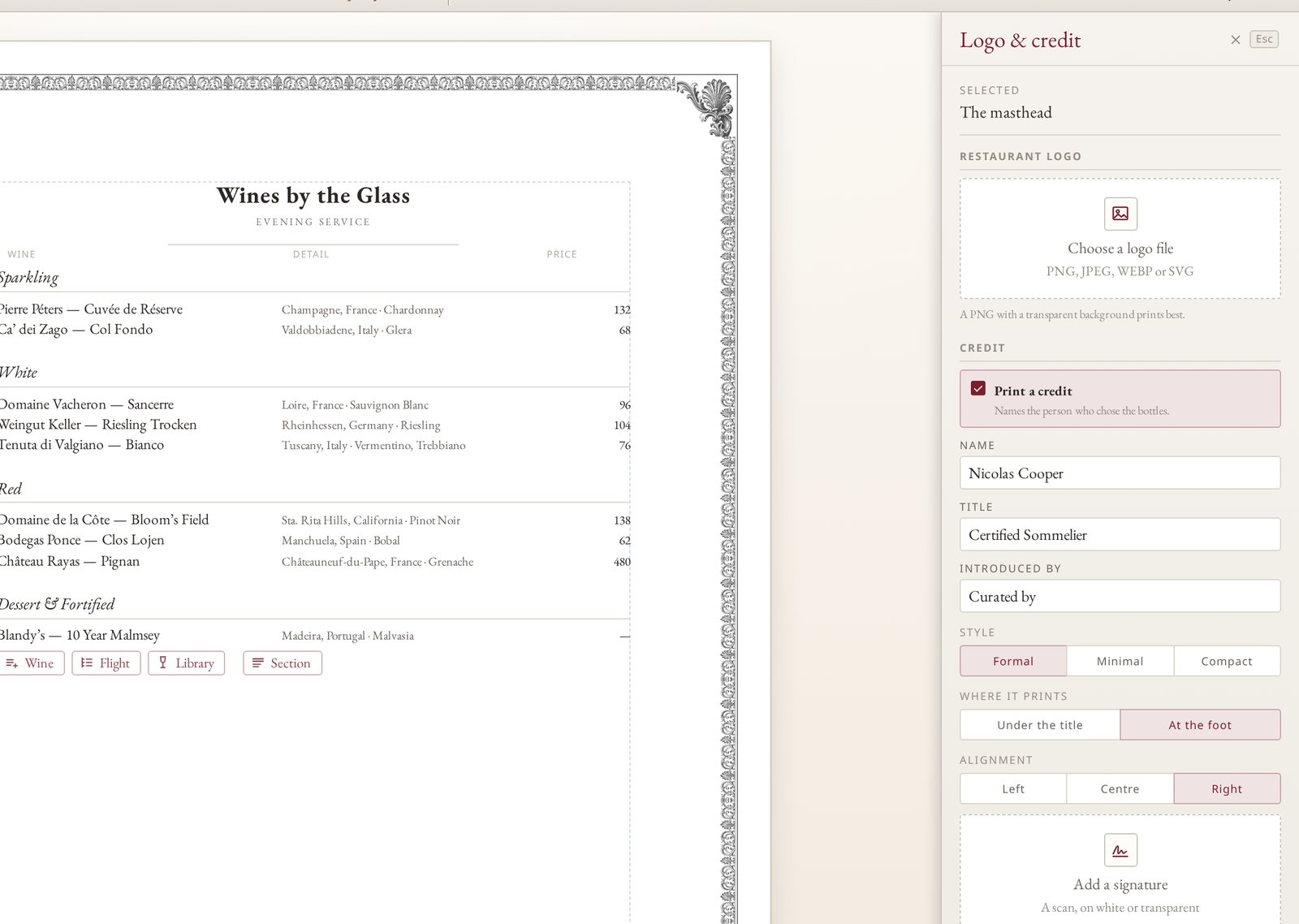
A wine list is someone's work, and the guest should know whose. Set the name, the title and a signature once; TableSet sets the credit on every print and PDF.

The editor
No forms to fill in and no settings to learn. The sheet in front of you is the list your guests will read.
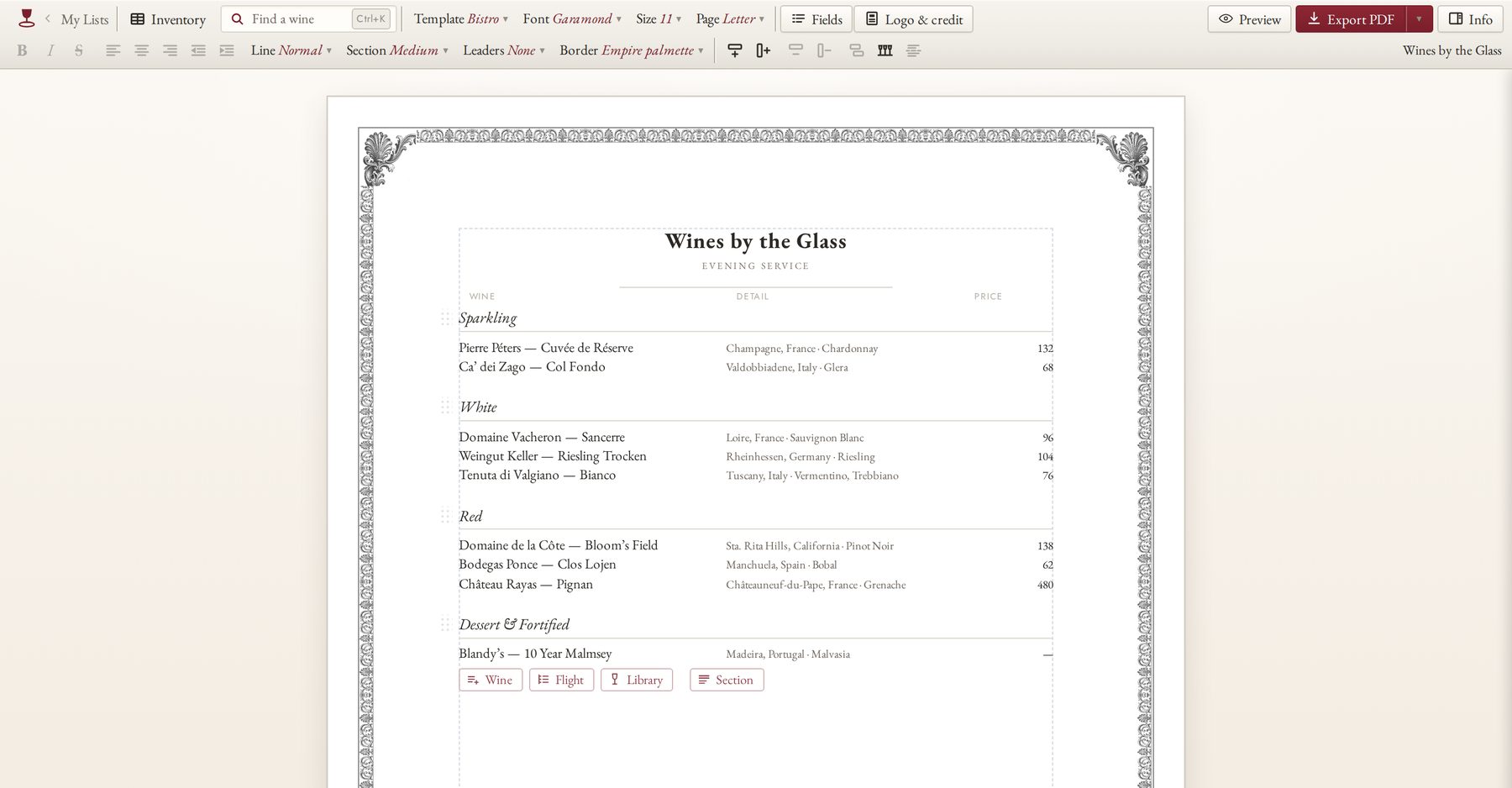
Every wine, heading and price is typed straight onto the sheet. Bold, alignment and line spacing sit on the toolbar.
Pull a column edge to widen it, or drag a column to move it. The page reflows as you go, and undo is one step away.
Press Enter at the end of a line and a new wine opens beneath it; Section, under the last wine, starts the next category.
Group wines into a flight, print the pours line and one price for the set, and change the count with a bracket.
A wine that has run out prints struck through, and the web version leaves it out, without deleting it.
Lists run across as many pages as they need, with page breaks, page numbers and continued headings.
Drag the dots beside a wine, or press Alt+Shift with an arrow. On a phone, Move up and Move down sit in the wine itself.
Copy a section to another list, or move it there, with its wines and flights. Undo takes it back.
Daily service sheet
A short card that changes often. Glass and bottle prices side by side.
Sectioned wine book
Every wine you pour, by section, with room for many pages.
Both, together
By the glass and full list for one house, kept under one name.
House styles
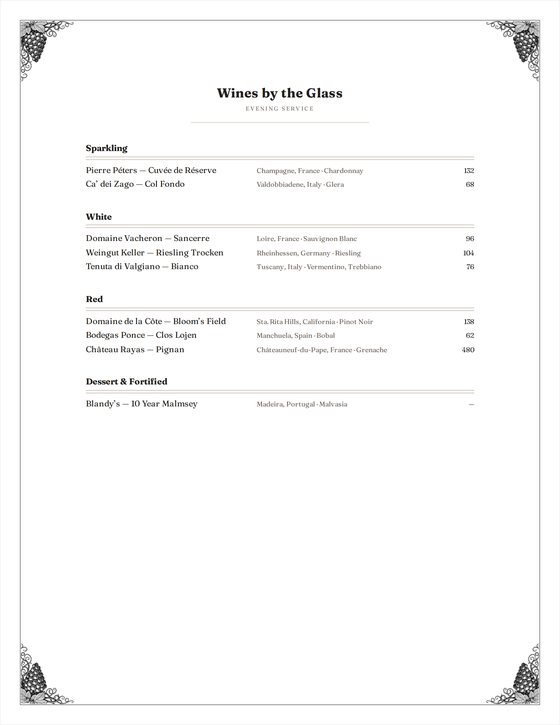
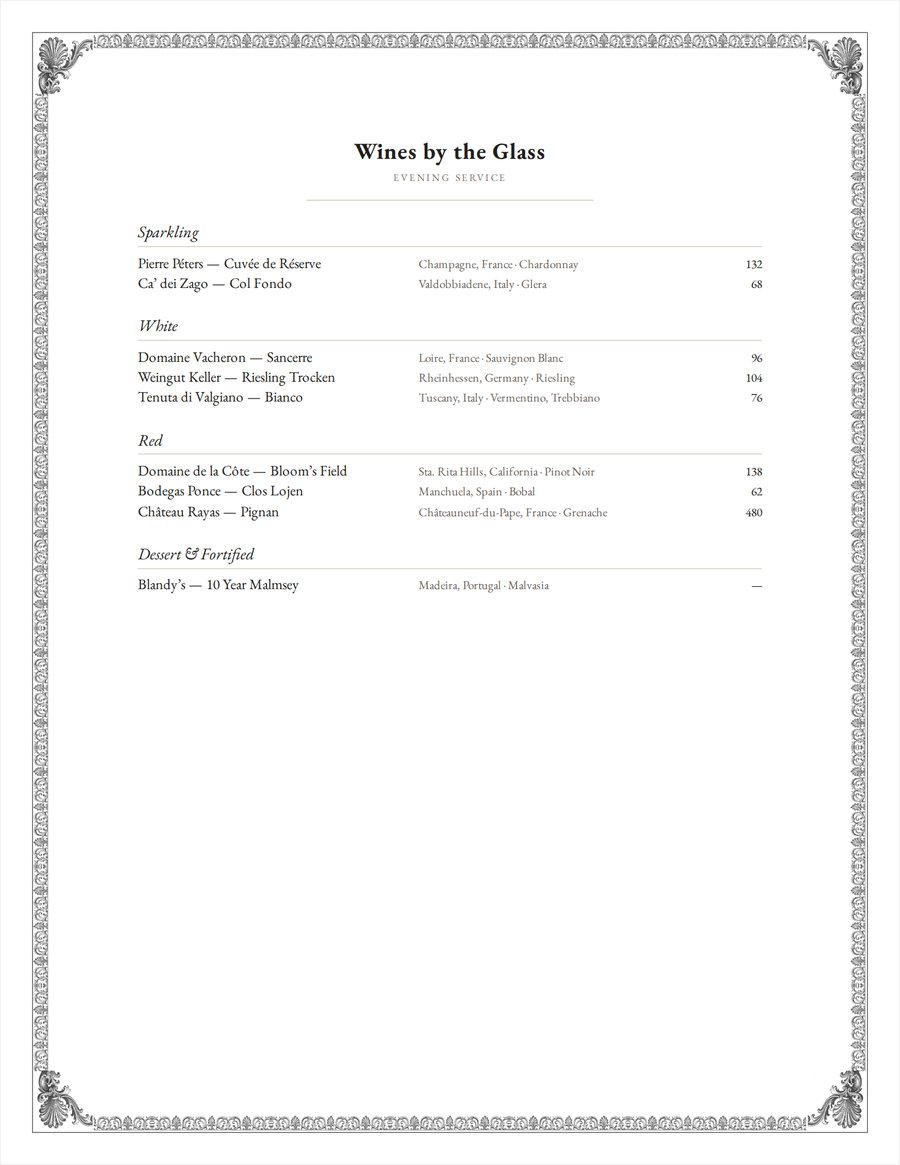
Each template is a complete voice: the typeface, the rules, the headings and the spacing chosen together. Pick one, and the whole list follows.
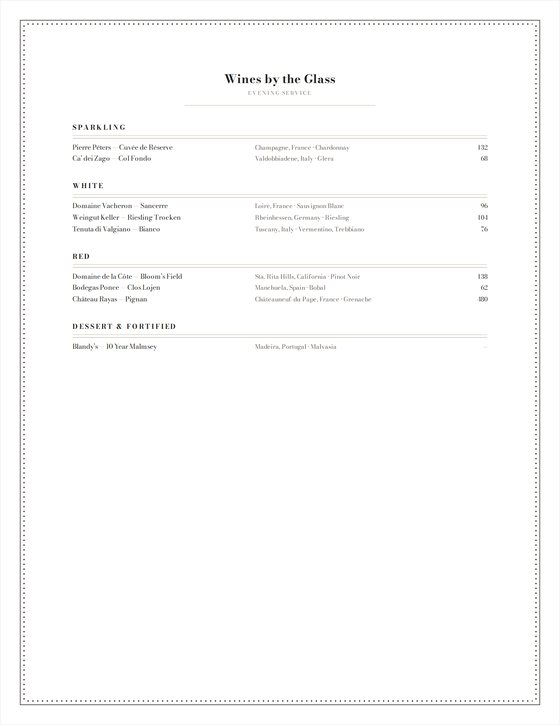
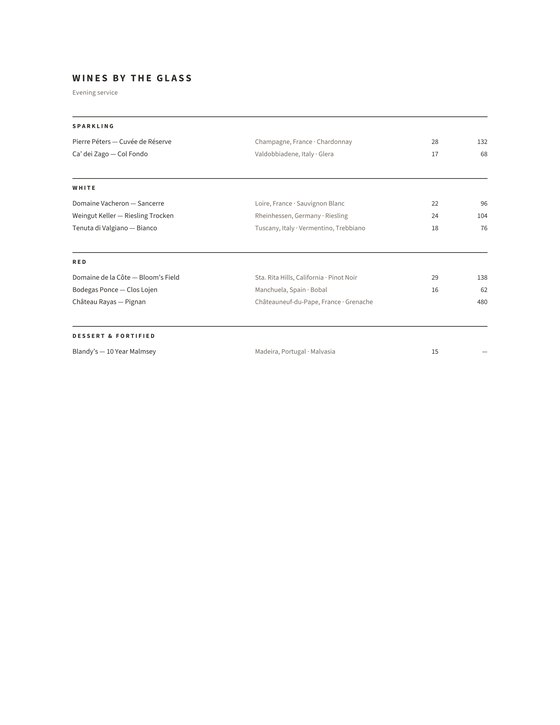
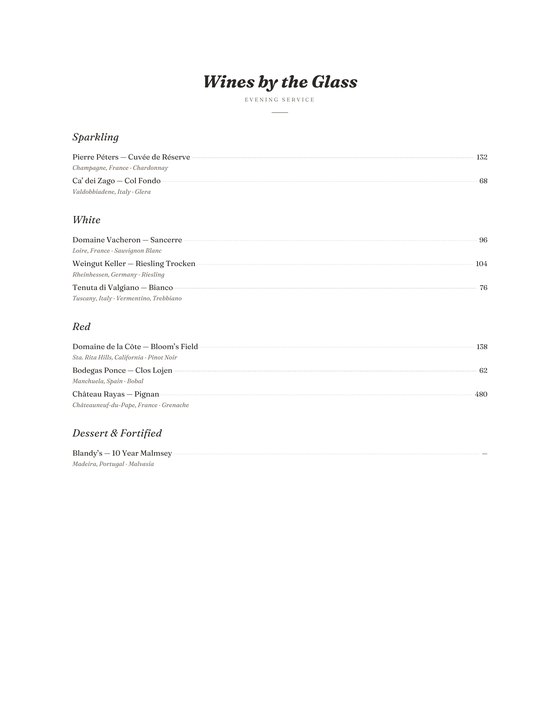
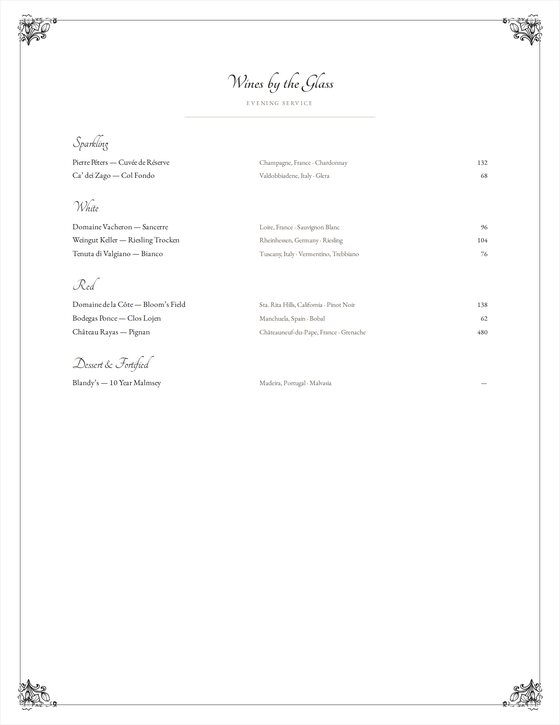
From a bistro card and a trattoria two-column to a steakhouse book, a cellar book with the vintage first, and the Riviera script.
Seventeen frames, from a hairline rule to Greek meander, Empire palmette, Art Nouveau and a gilded Louis XV frame.
Your logo, a signature and the sommelier's credit, printed on every sheet.
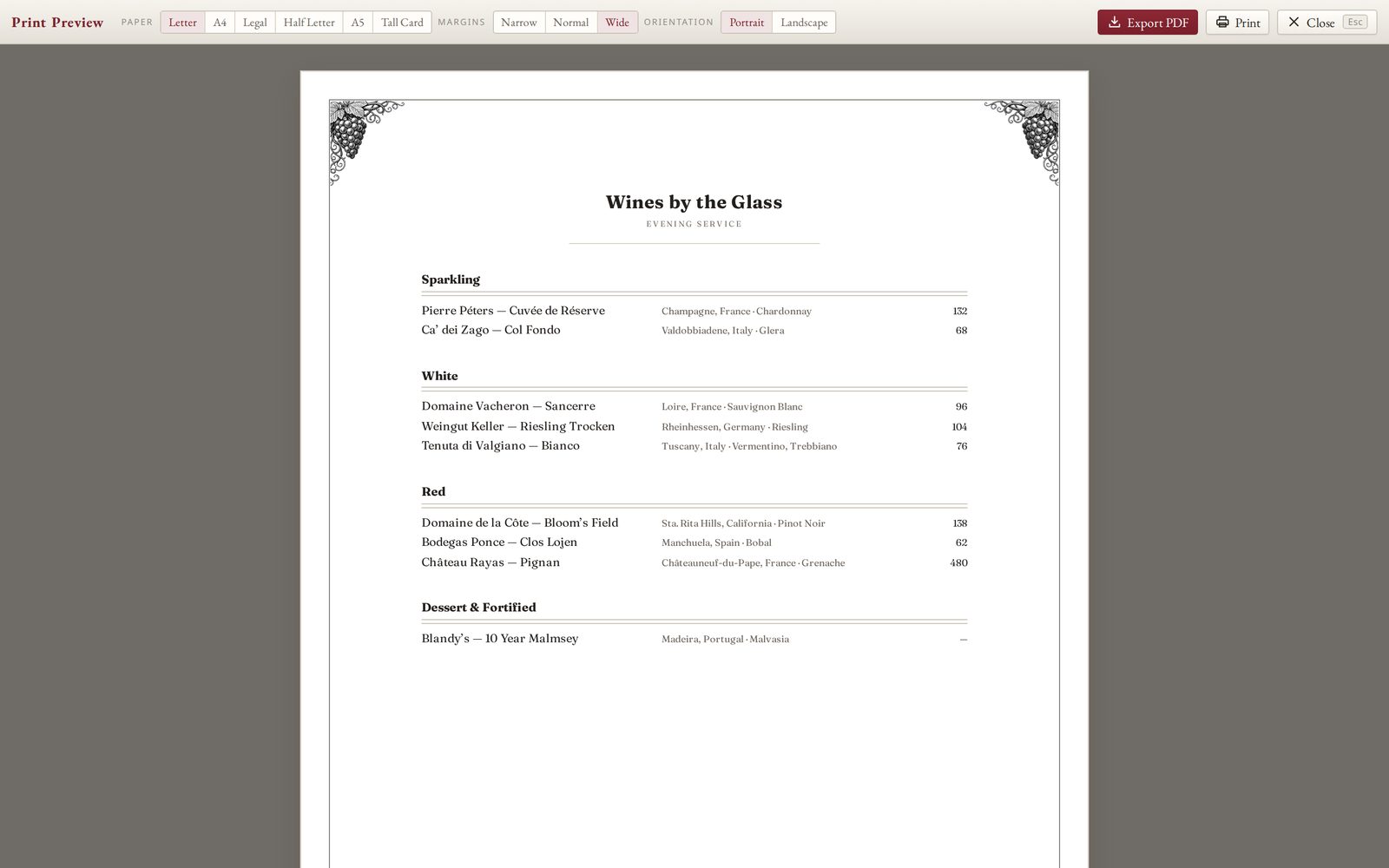
Letter, A4, Legal, Half Letter, A5 and a narrow Tall Card, in portrait or landscape.
Print, PDF and the web
Preview, the PDF and the printed page are the same sheet, measured the same way, so nothing moves between the screen and the paper.
The beta
It is free while the beta runs, and open to beta testers only: sign in with your beta account, or create one with the code you were given. A guest pass opens TableSet on one device without an account.